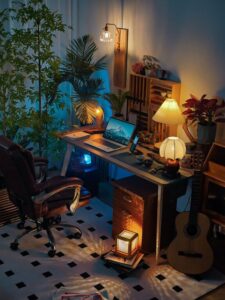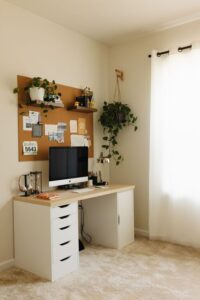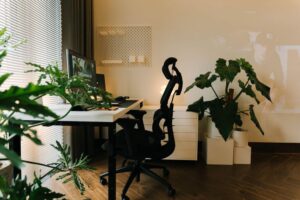
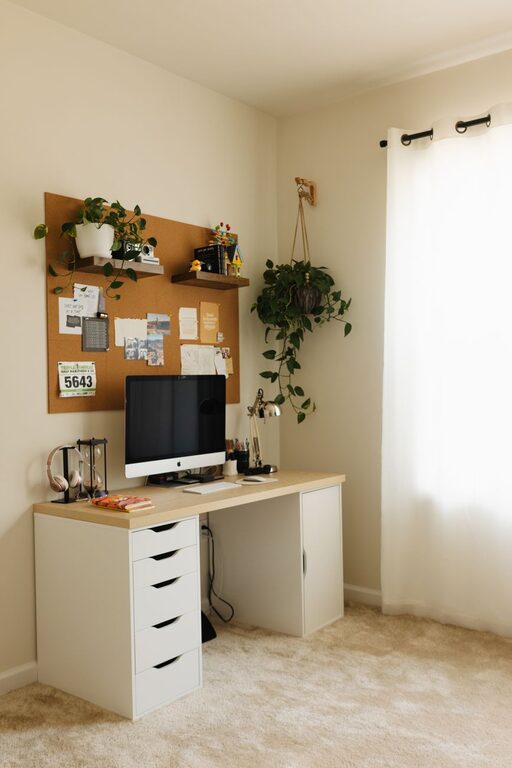
Creating a cozy and functional home workspace is essential for anyone who works from home or needs a dedicated area to focus on tasks. A well-designed workspace not only supports productivity but also promotes comfort and reduces stress. Whether you have a small nook or a full room to dedicate to your work, these tips will help you make the most out of your home office setup.
Choose the Right Location
Selecting the ideal spot for your workspace sets the foundation for a productive work environment.
Consider Natural Light
Natural light enhances mood and energy levels. Choose a space near a window if possible, but position your desk to avoid glare on your computer screen.
Minimize Distractions
Pick a quiet area of your home where interruptions are less likely. If space is limited, consider noise-cancelling headphones or room dividers to create separation.
Invest in Comfortable Furniture
Comfortable furniture is key to maintaining focus and avoiding physical discomfort during long work hours.
Ergonomic Chair
An ergonomic chair supports good posture, reducing back and neck strain. Look for adjustable height, lumbar support, and comfortable padding.
Spacious Desk
Choose a desk that fits your equipment and allows for some extra space. A clutter-free desktop helps keep your mind clear.
Organize Efficiently
Efficient organization makes it easier to find what you need and keeps your workspace tidy.
Use Storage Solutions
Incorporate shelves, drawers, and containers to store supplies and documents. Labeling can help keep everything in its place.
Cable Management
Use cable ties, clips, or boxes to keep cords neat and out of sight, reducing clutter and potential hazards.
Personalize Your Space
Adding personal touches can make your workspace feel more inviting and motivate you throughout the day.
Add Plants
Indoor plants improve air quality and add a refreshing look. Low-maintenance options like succulents or pothos work well in office spaces.
Display Inspiring Items
Photos, artwork, or motivational quotes can create a positive environment. Just be careful not to overcrowd your space.
Optimize Lighting
Good lighting reduces eye strain and creates a pleasant atmosphere.
Layered Lighting
Combine ambient light with task lighting, such as desk lamps, to provide sufficient illumination for various activities.
Adjustable Lighting
Using dimmable lights or lamps with adjustable brightness lets you customize lighting based on the time of day or work requirements.
Maintain Cleanliness
A clean workspace fosters focus and overall well-being.
Daily Tidy Up
Spend a few minutes each day organizing your desk and putting away items to prevent buildup of clutter.
Regular Deep Clean
Schedule weekly or monthly cleanings to dust surfaces, disinfect, and freshen your workspace.
Incorporate Technology Wisely
Reliable technology is crucial for efficient remote work, but it should not overwhelm your space.
Quality Equipment
Invest in a good computer, monitor, keyboard, and mouse that suit your needs to reduce frustration and discomfort.
Keep Tech Minimal
Limit the number of devices on your desk. Use wireless options when possible to reduce cables and create a cleaner look.
Set Clear Boundaries
Separating work from personal life helps maintain a healthy balance.
Designate Work Hours
Establish a routine with clear start and end times to prevent overworking and mental fatigue.
Create Visual Boundaries
Use room dividers, rugs, or specific furniture layouts to visually separate your workspace from the rest of your home.
Conclusion
Creating a cozy and functional home workspace takes some planning but yields significant benefits. By choosing the right location, investing in comfortable furniture, organizing efficiently, and personalizing your space, you can build an environment that supports productivity and well-being. Remember to optimize lighting, maintain cleanliness, use technology wisely, and set clear boundaries to get the most from your home office. With these tips, your workspace can become a place where you enjoy spending time and feel motivated to get things done.